Introduced by Apple in January 2005, iWork '05 is an innovative new suite of document and presentation software that's the same caliber as Apple's groundbreaking digital media applications and that's wholly dedicated to what Mac users like you care about most: artistry and creativity.
Introduced by Apple in January 2005, iWork '05 is an innovative new suite of document and presentation software that's the same caliber as Apple's groundbreaking digital media applications and that's wholly dedicated to what Mac users like you care about most: artistry and creativity.
Use these great ideas to help you make your point Create PowerPoint presentations with Flash(r) movies, Excel(r) charts, and more Okay, you've PowerPointed before, right?
Start creating dynamite presentations with PowerPoint 2010 PowerPoint, the number one presentation software, has been revised and improved with the introduction of Microsoft Office 2010.
Start creating dynamite presentations with PowerPoint 2010 PowerPoint, the number one presentation software, has been revised and improved with the introduction of Microsoft Office 2010.
New and inexperienced PowerPoint users will discover how to use the latest enhancements to PowerPoint 2007 quickly and efficiently so that they can produce unique and informative presentations PowerPoint continues to be the world's most popular presentation software This updated For Dummies guide shows users different ways to create powerful and effective slideshow presentations that incorporate data from other applications in the form of charts, clip art, sound, and video Shares the key features of PowerPoint 2007 including creating and editing slides, working with hyperlinks and action buttons, and preparing presentations for the Web
Including the latest Microsoft 365 features and enhanced support for Mac users, Cengage's Illustrated Series(R) Collection, Microsoft(R) Office 365(R) & PowerPoint(R) 2021 Comprehensive, 2nd edition, helps you quickly master the nuances of Microsoft(R) Office.
Helping you quickly get up to speed, THE SHELLY CASHMAN SERIES(R) MICROSOFT(R) OFFICE 365(R) & POWERPOINT(R) 2021 COMPREHENSIVE includes the latest on Microsoft 365 and Office 2021 features along with enhanced support for Mac users.
Using a unique in-depth, case-based approach, Cengage's MICROSOFT(R) 365(R) & POWERPOINT(R) 2021 COMPREHENSIVE helps you prepare for the Microsoft(R) Office(R) Specialist (MOS) certification exam and success in your future career.
Introduce your students to the important new features that the latest version of Microsoft(R) PowerPoint has to offer with the focused approach found in Microsoft(R) Office 365(R) & PowerPoint(R) 2019 Comprehensive.
Extend your skills with Odoo 12 to build resourceful and open source business applicationsKey FeaturesExplore Odoo 12 capabilities to develop business applicationsProgram business logic and manipulate data to implement specific business rules in your applicationsIntegrate Python APIs for building customizable and scalable business logicBook DescriptionOdoo is one of the best platforms for open source ERP and CRM.
THE COMPLETE USER'S GUIDE TO GOING VIRTUAL--AND GETTING RESULTSWith today's virtual technology, you can manage your business faster, reduce your expenses, and reach a larger market than ever before.
For over 45 years, McKinsey & Company's Gene Zelazny has been showing McKinsey consultants and professionals around the world how to plan, design, and deliver effective business presentations_and how to improve and expand their repertoire of presentation skills.
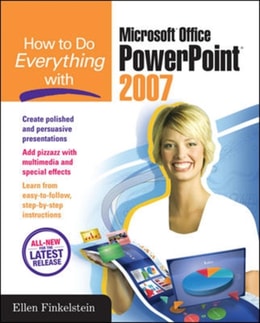
Design winning presentations with the new version of PowerPointCreate dynamic and professional-quality presentations using sage advice, handy tips, and clear descriptions from PowerPoint expert Ellen Finkelstein.
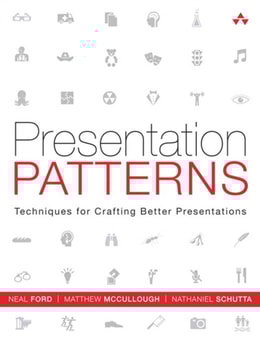
Presentation Patterns is the first book on presentations that categorizes and organizes the building blocks (or patterns) that you'll need to communicate effectively using presentation tools like Keynote and PowerPoint.
Presentation Patterns is the first book on presentations that categorizes and organizes the building blocks (or patterns) that you'll need to communicate effectively using presentation tools like Keynote and PowerPoint.